Cost Calculator
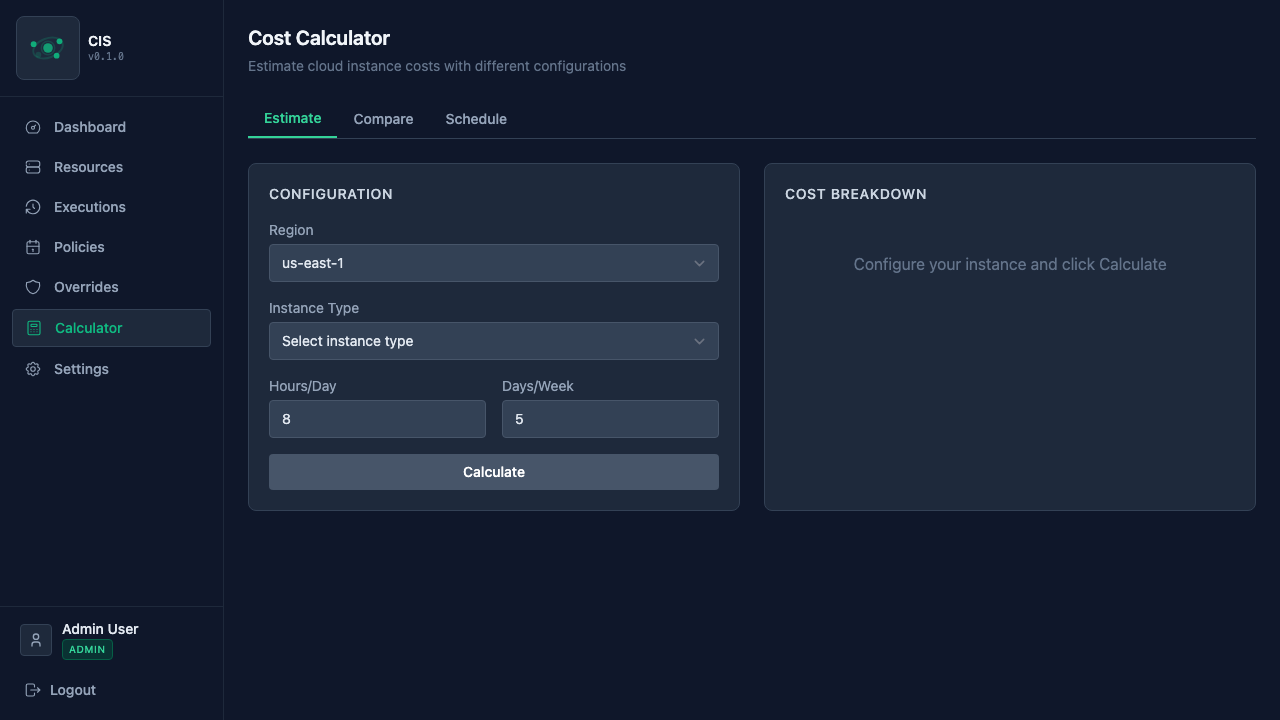
CIS includes a built-in cost calculator that helps you understand how much you're saving — and explore what-if scenarios before creating policies.
How pricing works
CIS automatically fetches hourly pricing data for compute instances from AWS, Azure, and GCP. This pricing data powers both the savings estimates on the Dashboard and the cost calculator.
Pricing updates run automatically on a daily schedule (configurable via PRICING_UPDATE_HOUR_UTC and PRICING_UPDATE_MINUTE_UTC). You can also trigger a manual update from Settings > Pricing.
Savings tracking
The Dashboard shows your estimated monthly savings — the difference between what your instances would cost running 24/7 and what they actually cost under their scheduled hours.
Each resource's detail page also shows its individual savings estimate, so you can see which instances are contributing the most to your savings.
Using the calculator
The calculator has three tabs, each useful for different scenarios.
Estimate
The simplest mode — pick a region and instance type, set how many hours per day and days per week you plan to run it, and see the cost breakdown:
- Hourly rate — the per-hour cost from the cloud provider
- Scheduled cost — what you'd pay with your usage pattern
- 24/7 cost — what it would cost running all the time
- Savings — the difference, both in dollars and as a percentage
Compare
Side-by-side comparison of multiple instance types. This is useful when you're deciding between instance sizes — for example, comparing a t3.medium vs t3.large to see if the performance difference justifies the cost.
You can compare up to four instances at once, each with its own region and instance type selection.
Schedule estimate
The most detailed mode — define a full weekly schedule (just like a policy's weekly grid) and see the projected cost for a specific instance type. This lets you experiment with different schedule patterns before committing to a policy.
For example, you might compare the savings from a "weekdays 9-6" schedule versus a "weekdays 8-8" schedule to decide which fits your team's working hours.
Limitations
Cost estimates are based on on-demand pricing from each cloud provider. A few things to keep in mind:
- Estimates, not invoices — these calculations are operational estimates, not invoice-grade billing. Actual costs may vary due to reserved instances, spot pricing, credits, or other billing factors.
- Pricing coverage — not all instance types and regions may have pricing data, especially for newer or less common configurations.
- Compute only — estimates cover compute costs. Storage, networking, and other charges are not included.